Launch offer — valid today only

📄 Digital book in PDF · read it on your phone or print it

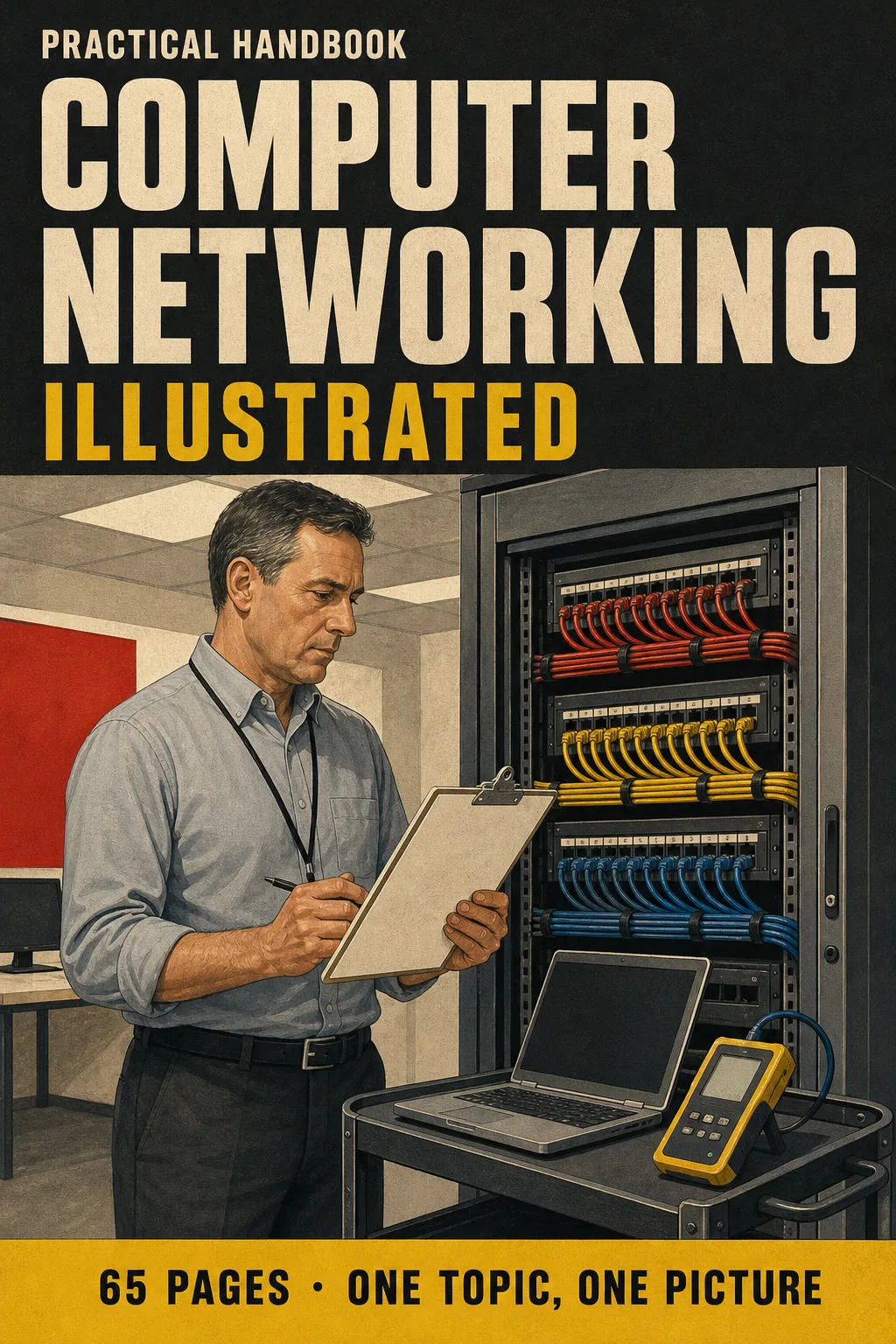
Network+ (N10-009), Illustrated: See the Address, the Port and the Layer at a Glance One Topic on Every Page

The OSI model, IPv4 addresses, subnetting, ports, DHCP and DNS, switching, Wi-Fi, security and troubleshooting. Each topic has its own page: the drawing first, then what you need to remember. 65 illustrated pages.

GET NETWORK+, ILLUSTRATED

🔒 Secure checkout · PDF by email · 30-day guarantee

Every topic, its own pageEach topic on its own page: one drawing, one box of numbers
65 illustrated pages8 parts, from what a network is to the night before the exam
Up-to-date sourcesCompTIA N10-009 exam objectives, the IANA port registry and IEEE 802 standards
PDF by emailFormat

Look Inside the Book

Every page has one large drawing and a box with the numbers, ports and steps you need to know:

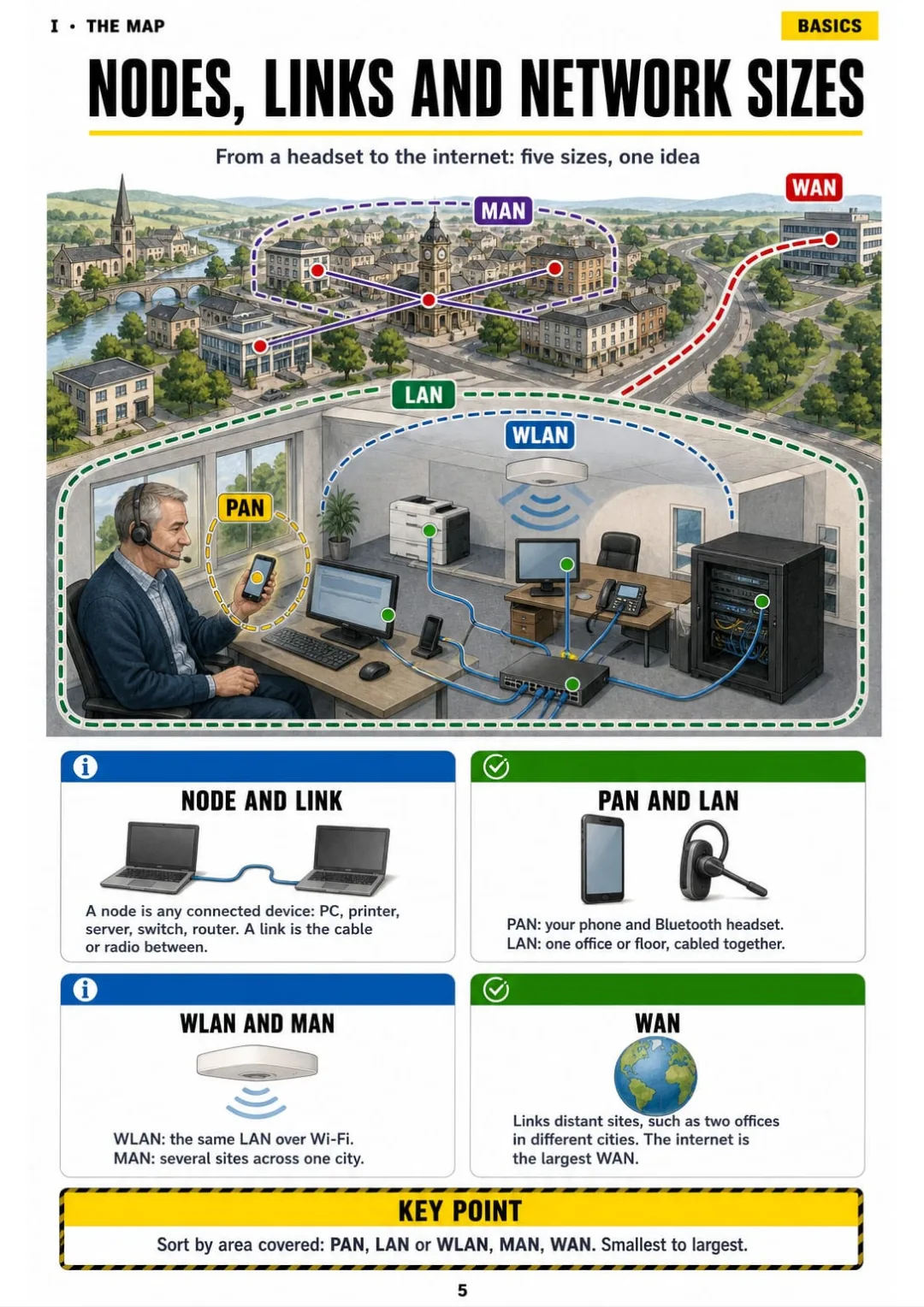
PAN, LAN, WLAN, MAN and WAN drawn on one town map, smallest to largest.
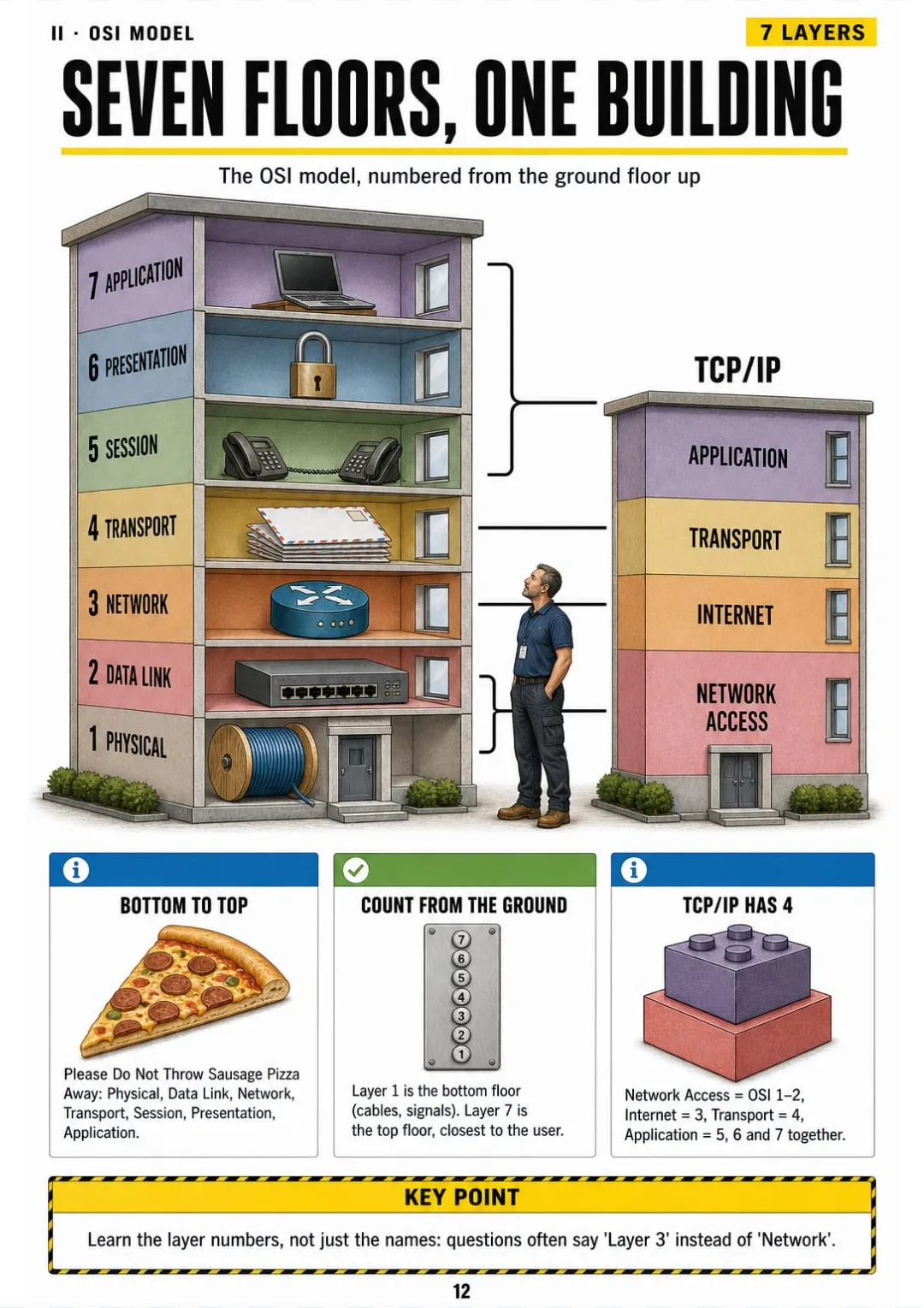
OSI layers 1 to 7, bottom to top, with the 4-layer TCP/IP model beside them
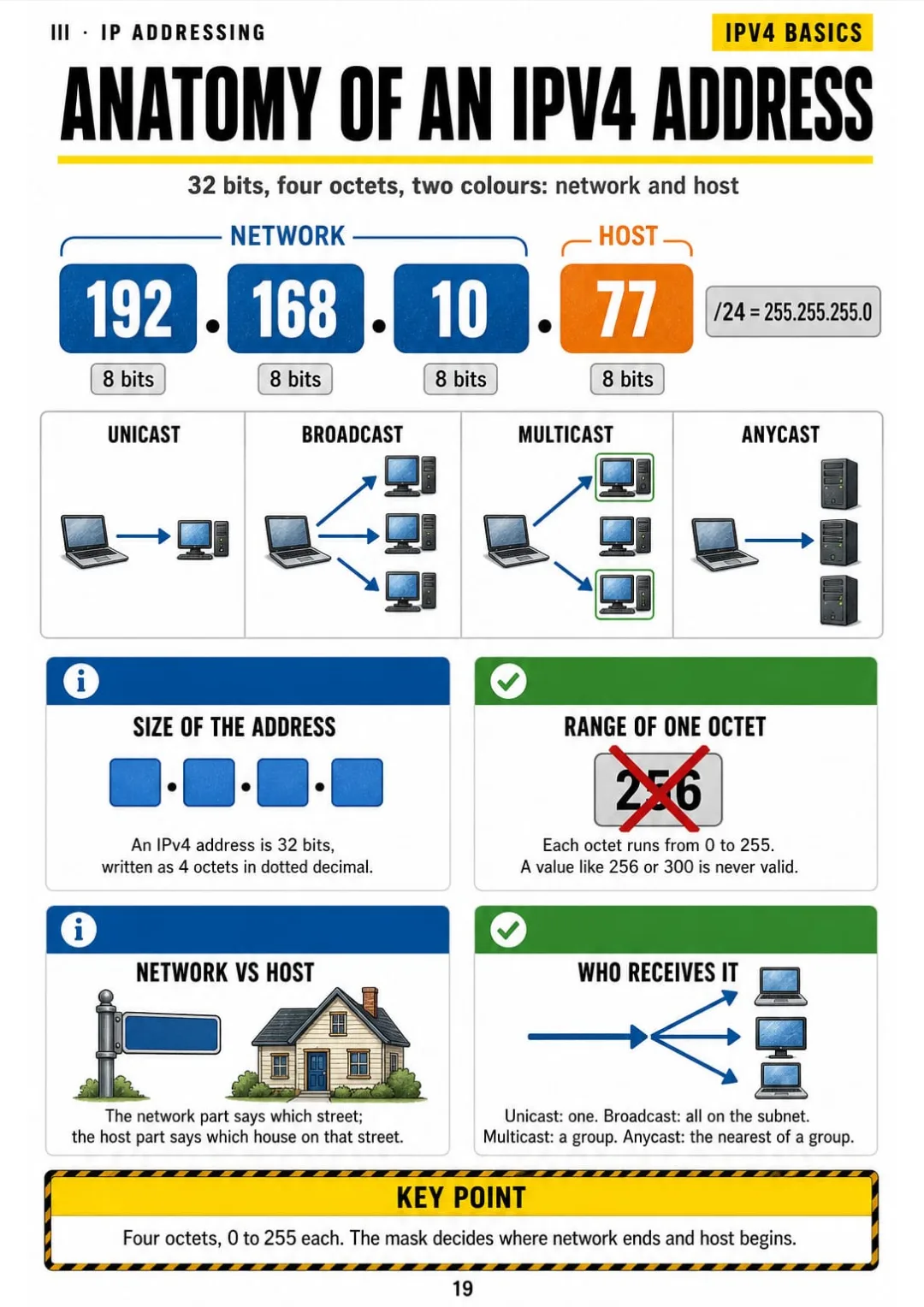
32 bits, 4 octets of 0–255, network in blue and host in orange
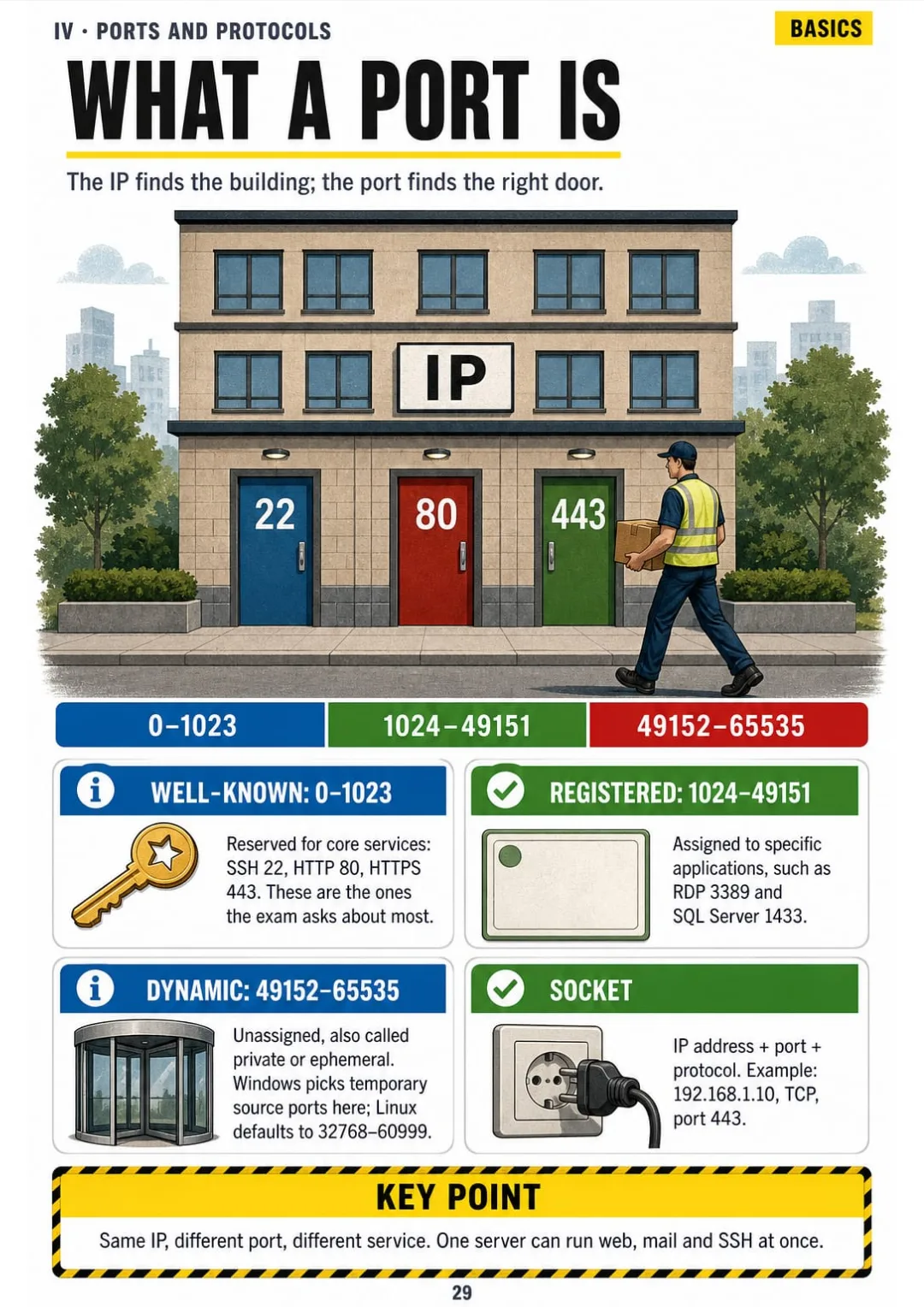
Port ranges: 0–1023 well-known, 1024–49151 registered, 49152–65535 dynamic.
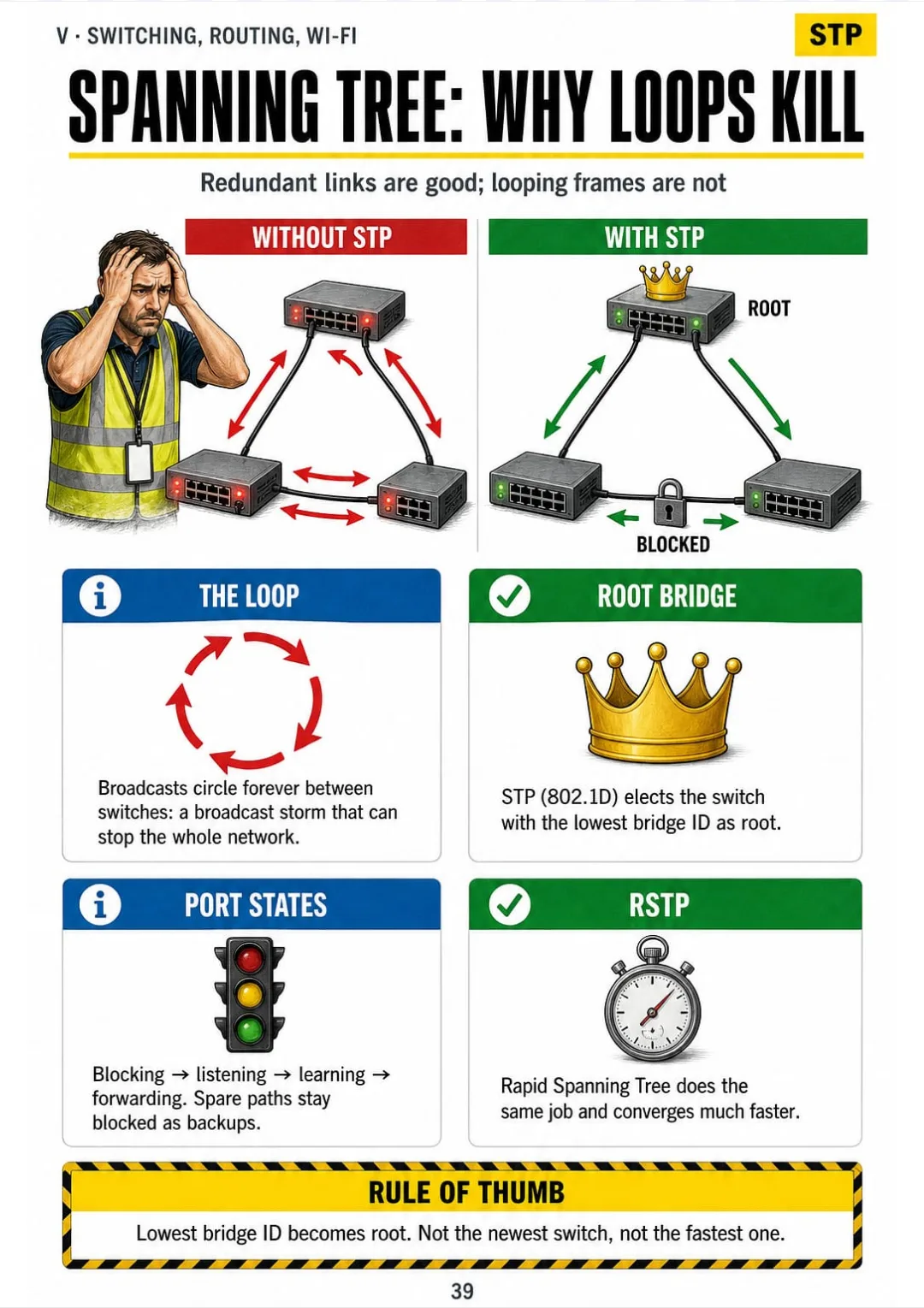
Loops cause broadcast storms; STP elects the lowest bridge ID as root and blocks spare paths.
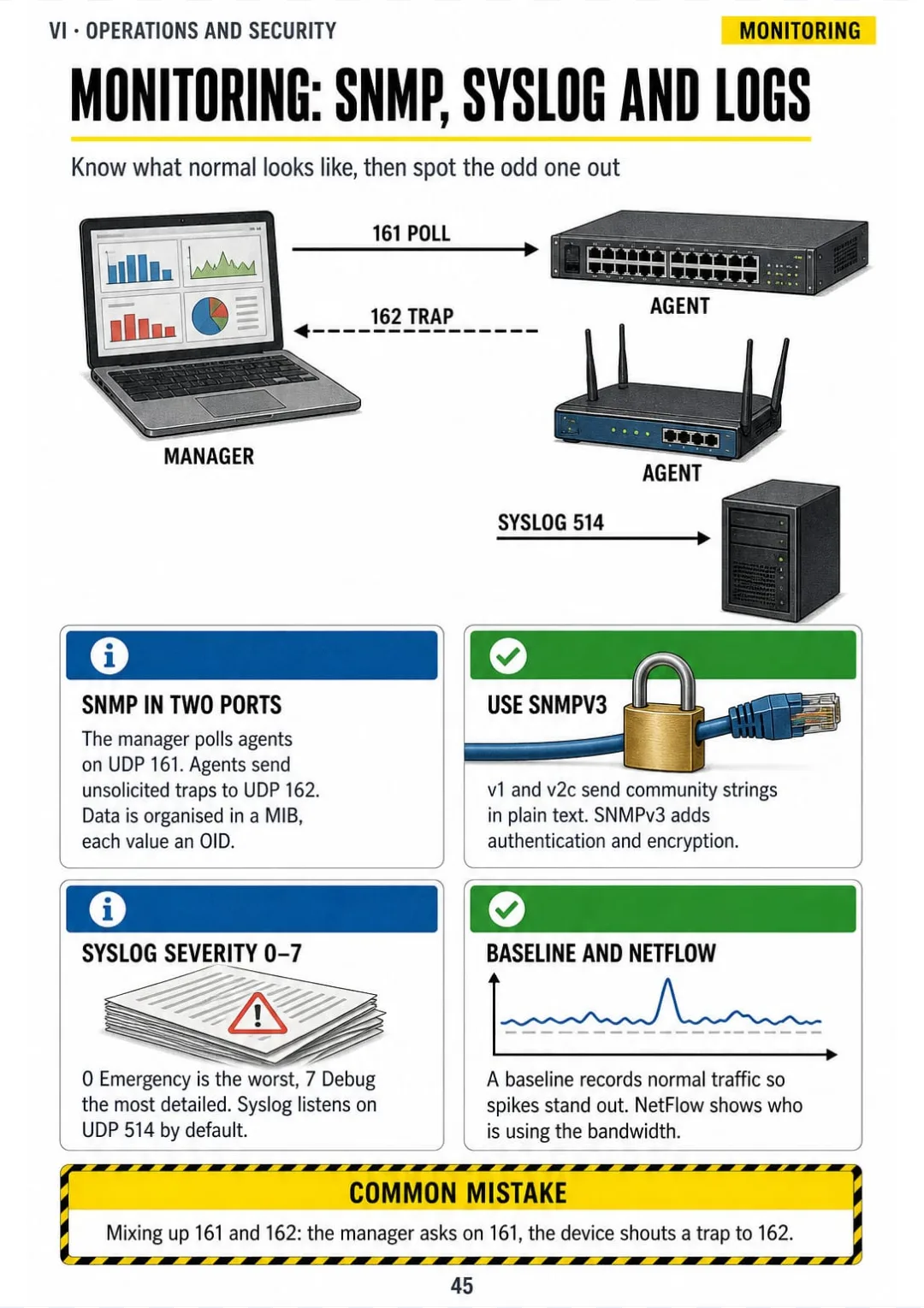
SNMP polls on UDP 161, traps on 162, syslog on 514 with severity 0 (Emergency) to 7 (Debug).
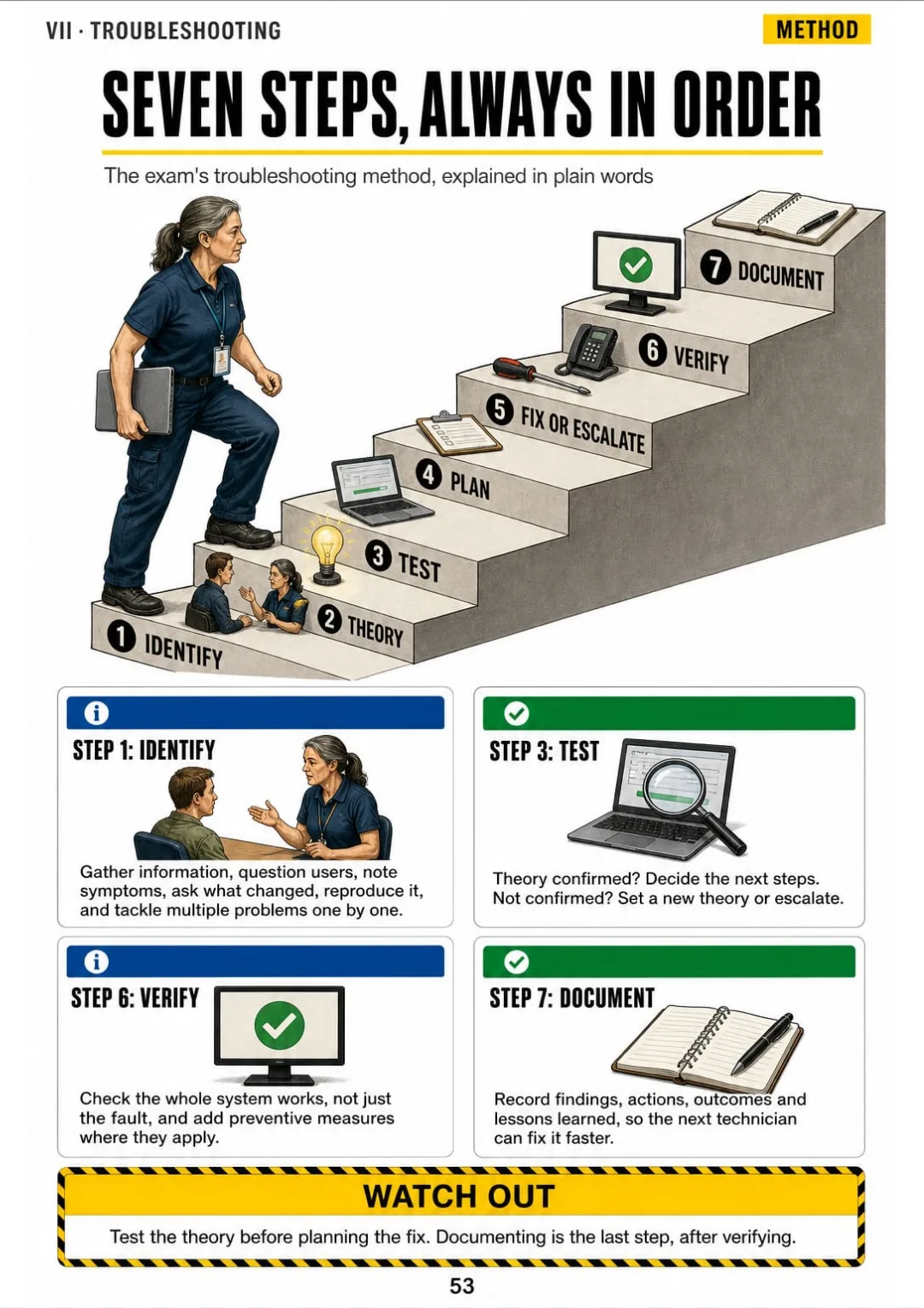
Identify, theory, test, plan, fix or escalate, verify, document: the seven steps on one staircase.
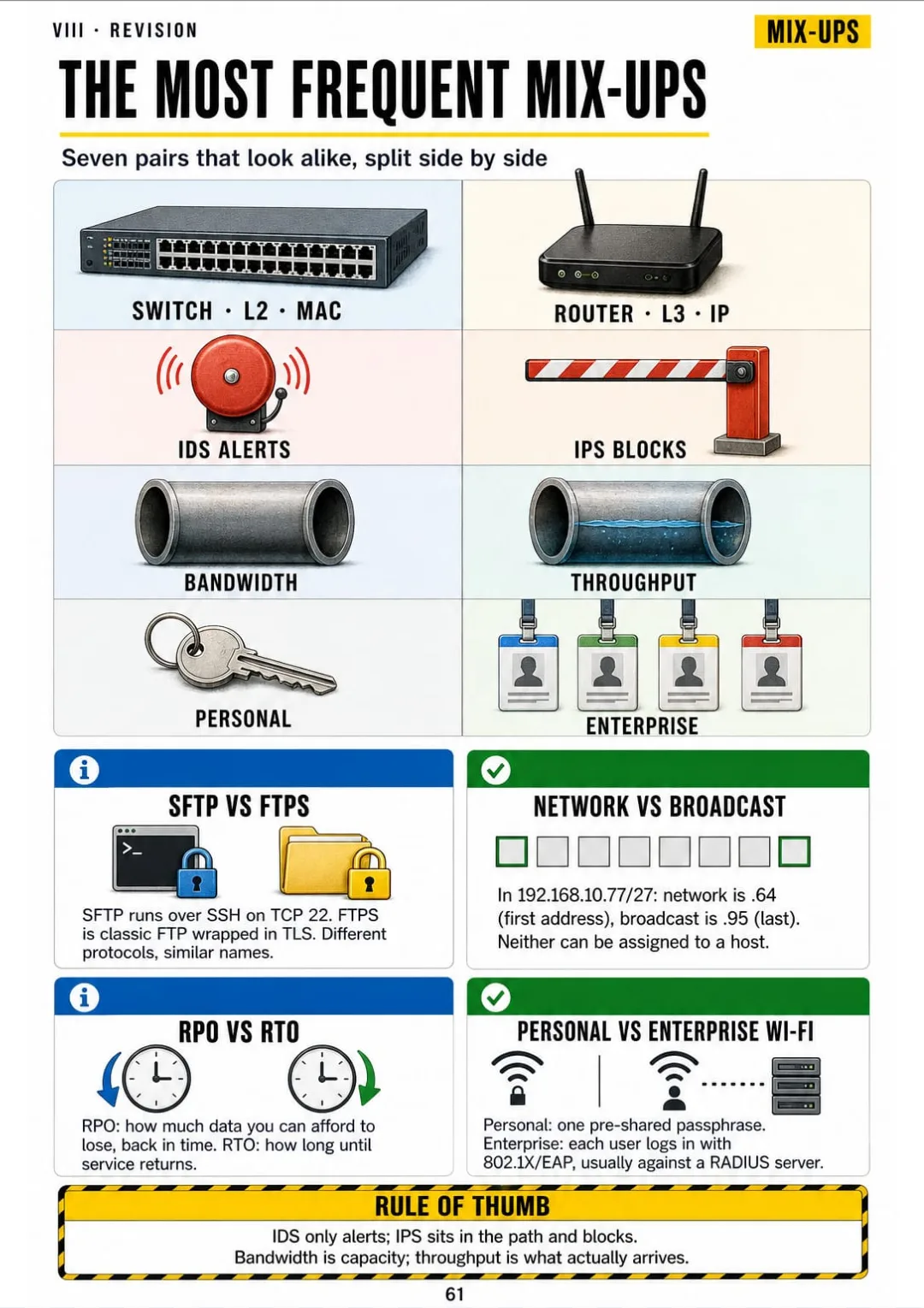
Switch vs router, IDS vs IPS, RPO vs RTO: the look-alikes split on one page

Swipe to see more →

These are real pages from the book. The table of contents is the full one: 8 parts and 61 topics.

The Problem Isn't You. It's How It Was Explained to You.

You're on a ticket and ipconfig shows 192.168.10.77 with a mask of 255.255.255.224. The senior engineer asks which part is the network. You look at four numbers and nothing comes.

Your manual spends three paragraphs on bits, octets and masks before it shows you a single address. It tells you what an address is. It never lets you see one.

32 bits, 4 octets of 0–255, network in blue and host in orange

In the book, that address takes two pages: the anatomy, with 32 bits in 4 octets, network in blue and host in orange, and the block-size method: 256 − 224 = 32, so the network is 192.168.10.64.

The OSI layers, port ranges, how a switch learns MAC addresses and the seven troubleshooting steps get the same treatment: each one on its own page.

You look at the address and see where the network ends. You answer without going back to the manual.

COMPARE FOR YOURSELF

The Same Topic, Two Ways to Study It

THIS
  • The manual: line after line
  • The seven layers explained only in words
  • You reach the exam still unsure
The Open Systems Interconnection reference model is a conceptual framework that divides network communication functions into seven abstraction layers, each of which provides services to the layer immediately above it and consumes services from the one below. The physical layer governs the transmission of raw bit streams over a medium, whereas the data link layer provides node-to-node transfer and framing. The network, transport, session, presentation and application layers address logical addressing, end-to-end delivery, dialogue control, data representation and user-facing services, corresponding only partially to the four layers of the TCP/IP suite.
FOR THIS
  • The OSI model as a seven-floor building
  • Layer numbers and the TCP/IP model in one box
  • You see it and it makes sense
OSI layers 1 to 7, bottom to top, with the 4-layer TCP/IP model beside them
CONTENTS

Take a Look at the 8 Parts and 61 Topics

The map of a network, the OSI model, IP addressing and subnetting, ports and protocols, switching, routing and Wi-Fi, operations and security, troubleshooting and exam-day revision: 65 pages, all illustrated

IThe Map of a Network · pp. 5-11
  1. What a network is: nodes, links and sizes
  2. Topologies at a glance
  3. Copper cables: Cat5e, Cat6, Cat6a
  4. Fibre: single-mode vs multimode
  5. The devices and what each one does
  6. Bandwidth, throughput and latency
  7. Cloud and where the network lives
IIThe OSI Model, Floor by Floor · pp. 12-18
  1. Seven floors, one building
  2. Encapsulation: data going down and up
  3. Layers 1 and 2: bits and MAC addresses
  4. Layer 3: IP addresses and routers
  5. Layer 4: TCP vs UDP
  6. Layers 5, 6 and 7 without the fog
  7. Which layer is it? The sorting page
IIIIP Addressing and Subnetting · pp. 19-28
  1. Anatomy of an IPv4 address
  2. Binary in one row: 128 64 32 16 8 4 2 1
  3. Subnet masks and CIDR notation
  4. Private, public and special addresses
  5. NAT and PAT: many devices, one public address
  6. The subnetting method: block size first
  7. Worked example: 192.168.10.77/27
  8. How many hosts, how many subnets
  9. VLSM: the biggest subnet first
  10. IPv6 without panic
IVPorts, Protocols and Services · pp. 29-35
  1. What a port is
  2. Remote access and file transfer ports
  3. Web and email ports
  4. Infrastructure ports
  5. DHCP in four steps: DORA
  6. DNS: from a name to an address
  7. TCP or UDP? Protocol by protocol
VSwitching, Routing and Wireless · pp. 36-44
  1. How a switch learns MAC addresses
  2. ARP: finding the MAC behind an IP
  3. VLANs and trunks
  4. Spanning Tree: why loops kill a network
  5. Reading a routing table
  6. Static vs dynamic routing
  7. Wi-Fi standards by generation
  8. Channels: 1, 6 and 11
  9. Wireless security: Personal vs Enterprise
VIOperations and Security · pp. 45-52
  1. Monitoring: SNMP, syslog and logs
  2. Documentation and change management
  3. High availability and disaster recovery
  4. CIA triad and AAA
  5. Common attacks, drawn
  6. Defences on the switch
  7. Firewalls, ACLs and the screened subnet
  8. VPNs and zero trust
VIITroubleshooting, Always in the Same Order · pp. 53-60
  1. The seven-step troubleshooting method
  2. Bottom-up, top-down, divide and conquer
  3. Cable and physical faults
  4. Command-line tools in one page
  5. Reading ipconfig like a clue
  6. The 'no internet' ticket, step by step
  7. Slow or dropping Wi-Fi
  8. Switch and port problems
VIIIRevision and Exam Day · pp. 61-65
  1. The most frequent mix-ups
  2. All the ports on one page
  3. Subnetting cheat sheet
  4. How the exam works
  5. The night-before checklist

One Page, One Topic, All Clear

Think of it this way:

A ticket comes in: a whole floor has lost the internet. You need to know where to start before you escalate it.

You open the troubleshooting page and see seven steps on one staircase: identify, theory, test, plan, fix or escalate, verify, document.

Loops cause broadcast storms; STP elects the lowest bridge ID as root and blocks spare paths.

The OSI layers, subnetting, port numbers, DHCP and VLANs work the same way: each one on its own page.

Computer Networking Illustrated is 65 illustrated pages in 8 parts. It ends with the most frequent mix-ups, every port on one page and a subnetting cheat sheet.

What you see drawn, you don't have to memorize.

What's Inside Computer Networking Illustrated:

Ipp. 5-11

The Map of a Network

What a network is, topologies, copper and fibre cables, the devices and what each one does, bandwidth and latency, and the cloud

IIpp. 12-18

The OSI Model, Floor by Floor

The seven floors of the OSI model, encapsulation, MAC and IP addresses, TCP vs UDP, the top layers and a page for sorting which layer is which

IIIpp. 19-28

IP Addressing and Subnetting

The anatomy of an IPv4 address, binary in one row, masks and CIDR, private addresses, NAT, the block-size method, a worked example, VLSM and IPv6

IVpp. 29-35

Ports, Protocols and Services

What a port is, remote access, web, email and infrastructure ports, DHCP in four steps, DNS and TCP or UDP for each protocol

Vpp. 36-44

Switching, Routing and Wireless

How a switch learns MACs, ARP, VLANs and trunks, Spanning Tree, routing tables, Wi-Fi standards, channels 1, 6 and 11 and wireless security

VIpp. 45-52

Operations and Security

Monitoring with SNMP and syslog, documentation, high availability, CIA and AAA, common attacks, switch defences, firewalls, VPNs and zero trust

VIIpp. 53-60

Troubleshooting, Always in the Same Order

The seven-step method, bottom-up and top-down, cable faults, command-line tools, reading ipconfig, the 'no internet' ticket, slow Wi-Fi and switch problems

VIIIpp. 61-65

Revision and Exam Day

The most frequent mix-ups, all the ports on one page, a subnetting cheat sheet, how the exam works and the night-before checklist

At the end of the book: A revision part with the most frequent mix-ups, every port on one page and a subnetting cheat sheet.
Plus: 2 Free Books

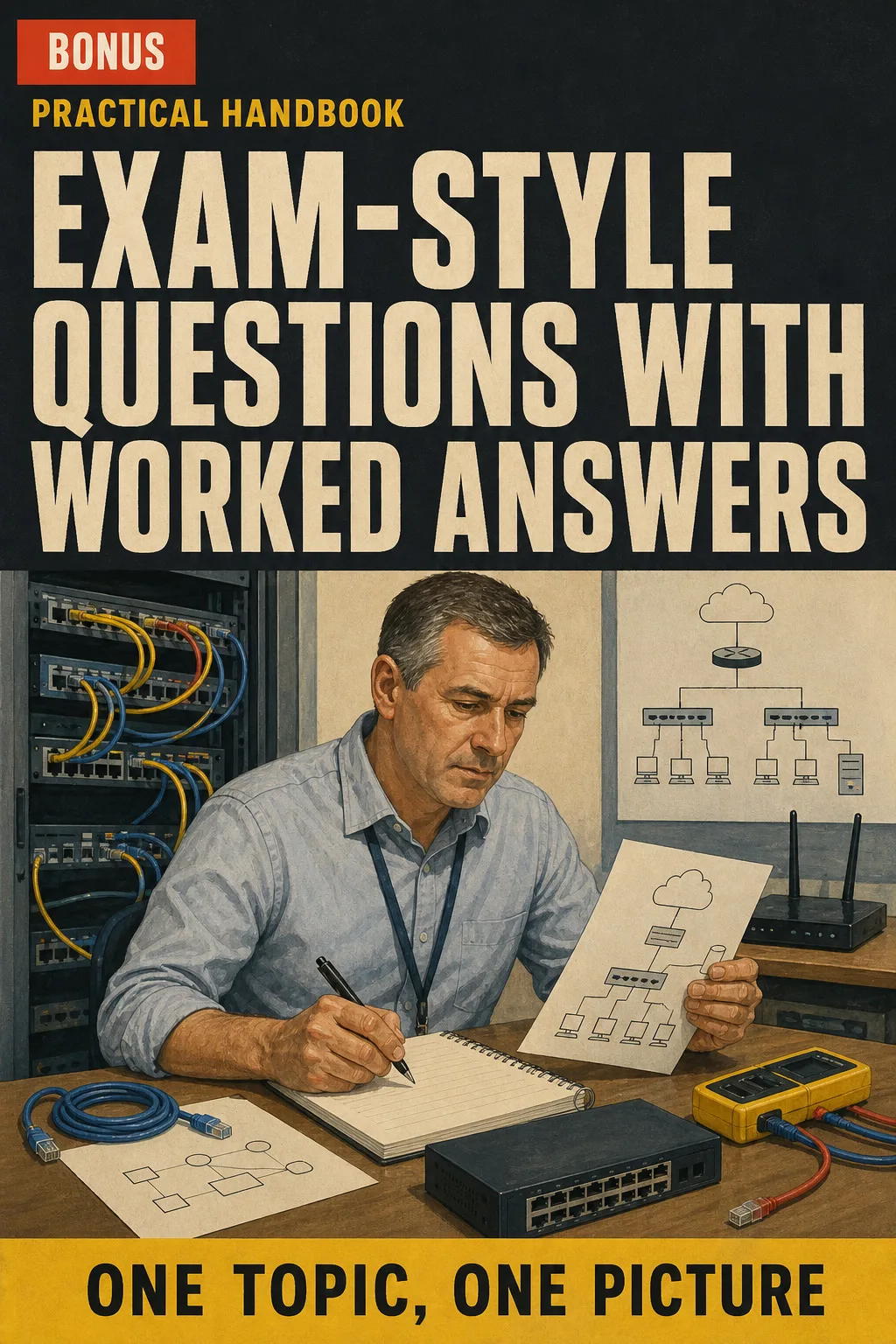
Exam-Style Questions with Worked Answers

BONUS 1: «Exam-Style Questions with Worked Answers»

Value on its own: US$ 17.90

Practise with multiple-choice and scenario questions in the style of the exam, and see in one line why each answer is right.

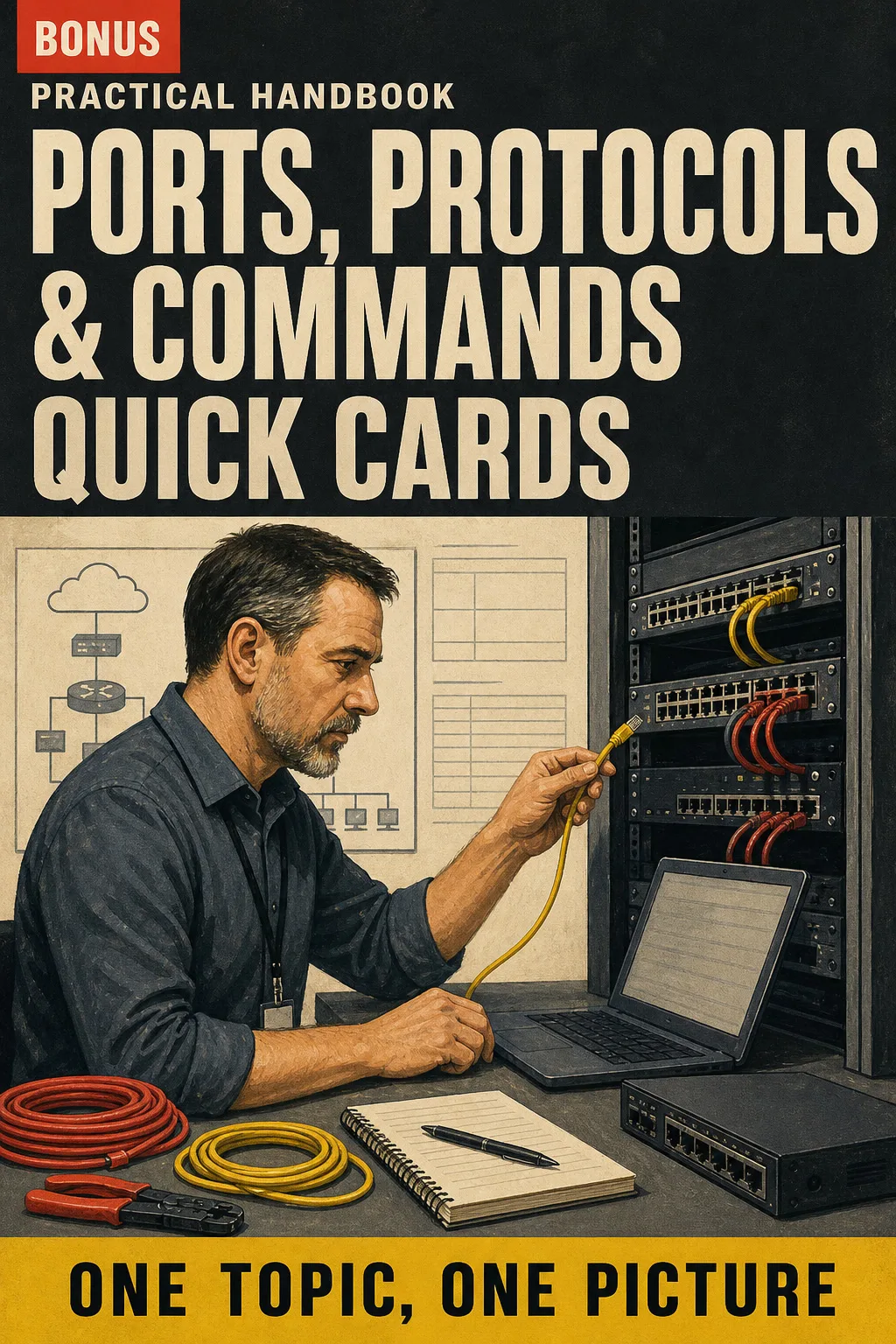
Ports, Protocols & Commands Quick Cards

BONUS 2: «Ports, Protocols & Commands Quick Cards»

Value on its own: US$ 14.90

The port numbers, protocols and command-line tools you need to recall, on printable cards for a ten-minute revision before bed.

Computer Networking Illustrated with 2 Free Books

  • Computer Networking Illustrated: 65 illustrated pagesUS$ 63
  • BONUS 1: Exam-Style Questions with Worked AnswersUS$ 17.90
  • BONUS 2: Ports, Protocols & Commands Quick CardsUS$ 14.90
  • High-resolution PDF to printIncluded
Total value US$ 95.80
YOUR PRICE:
US$ 27
You save US$ 68.80
YES, I WANT COMPUTER NETWORKING ILLUSTRATED FOR US$ 27

📄 This is a digital PDF book sent to your email: nothing is printed or shipped.

Secure purchaseEncrypted payment30-day guarantee

PDF by email: We email you Computer Networking Illustrated as a PDF, together with the two free books. It's a single payment: no installments, no extra charges.

Who This Book Is For

You're studying for Network+

You're studying for Network+

In the evenings and at weekends, one page per topic: you see the network as a map that builds up, from the cable to the router.

Your exam date is booked

Your exam date is booked

Subnetting with the same steps every time, the ports on one page and the most frequent mix-ups split apart, ready for your final revision.

You already work on the service desk

You already work on the service desk

A troubleshooting method in seven steps and ipconfig read like a clue, so you know where to look before you escalate a ticket.

Everything You Get Today

US$ 95.80US$ 27
YES, I WANT COMPUTER NETWORKING ILLUSTRATED FOR US$ 27

📄 This is a digital PDF book sent to your email: nothing is printed or shipped.

30DAYS
GUARANTEE

30-Day Guarantee

Try Computer Networking Illustrated for 30 days, bonus books included.

We refund everything if the file won't open, if the book isn't what you see here, if you were charged twice or if the email doesn't arrive. Just email us.

You pay once. No subscriptions.

Frequently Asked Questions

Is it for me if I work on a help desk or I'm moving into IT from another career?

Yes. It starts from the basics, but it goes all the way to VLSM, IPv6, VLANs and trunks, Spanning Tree, zero trust and reading ipconfig on a real ticket. If you already work on the service desk, you can go straight to subnetting or the troubleshooting part.

Where does the content come from?

It follows the CompTIA Network+ N10-009 exam objectives published by CompTIA, not the older N10-008. Port numbers come from the IANA registry, and Wi-Fi and cabling details come from the IEEE 802 standards.

Is it official material?

No. It's an independent illustrated study book, not affiliated with or endorsed by CompTIA. It doesn't include an exam voucher or a certificate: you book and sit the Network+ exam separately.

Does it replace a course or a bootcamp?

No. Your course and your manual explain everything at length. This book is the page you open afterwards: one topic, one drawing, the numbers and steps in a box. It goes alongside your course and your labs, so you can revise a topic in a few minutes instead of rewatching a video.

Are the practice questions the real exam questions?

No. They're written for this book, in the style of the exam, and each one comes with a short explanation of the answer.

When and how will I get it?

The book and the 2 bonus books arrive as PDFs by email, sent to the address you enter at checkout.

Do I have to pay every month?

No. It's a one-off payment, with no subscription.

Can I have it on paper?

Yes. The PDF is ready to print at home or at a print shop, so you can keep it on your desk at work.

How does the refund work?

You have 30 days. We refund everything if the file won't open, if the book isn't what you see on this page, if you were charged twice or if the email doesn't arrive: just email us.

Before You Close This Page

No more rereading with nothing sticking.

Subnetting, ports and the OSI layers: drawn, always in the same order.

Before the exam, you revise from one page per topic.

Drawings make studying faster.

The book is right below.

One-time payment: US$ 27 · Guarantee: 30 days · PDF by email

YES, I WANT COMPUTER NETWORKING ILLUSTRATED FOR US$ 27

📄 This is a digital PDF book sent to your email: nothing is printed or shipped.